
Appearance
Syslog
The Syslog tab on the device page lets you view a device's logs and export diagnostics. It is available to Premium companies.
Device logs can be reported periodically — enable Enable Device Log Reporting in the company's create or edit form — or requested manually for a specific device from the Syslog tab. Because reporting logs can significantly increase data usage, this option is off by default.
Viewing Logs
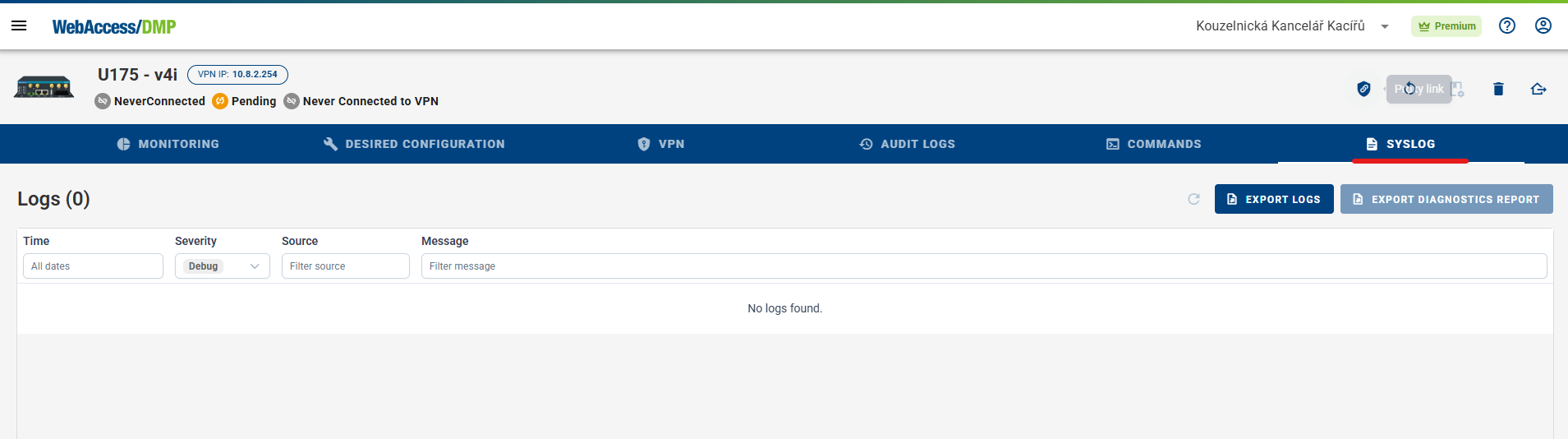
The Syslog tab lists log entries with their Time, Severity, Source, and Message. Use the filters above the columns to narrow the entries — for example, by minimum Severity (such as Debug), by Source, or by Message text. Click the refresh icon to reload the latest logs.
Exporting Logs
Click Export Logs to download the device's logs to a file.
Exporting a Diagnostics Report
Click Export Diagnostics Report to request a diagnostics report from the device. The report collects the device's diagnostic information, which is useful when troubleshooting or when requested by support.