Appearance
Long Operations
Long operations are long-running jobs that WebAccess/DMP processes in the background, such as a batch reboot. In practice, any operation performed through a batch edit of devices is tracked as a long operation. The Long Operations page lets you follow their progress and results.
There is no direct link to the Long Operations page in the menu. You can reach it by:
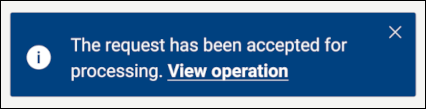
- Clicking View operation in the toast notification shown after you submit an operation.
- Following the link in the Audit Logs.
- Navigating to
/long-operationsdirectly (for example,.../long-operations?focusId=<id>).
The Long Operations Page
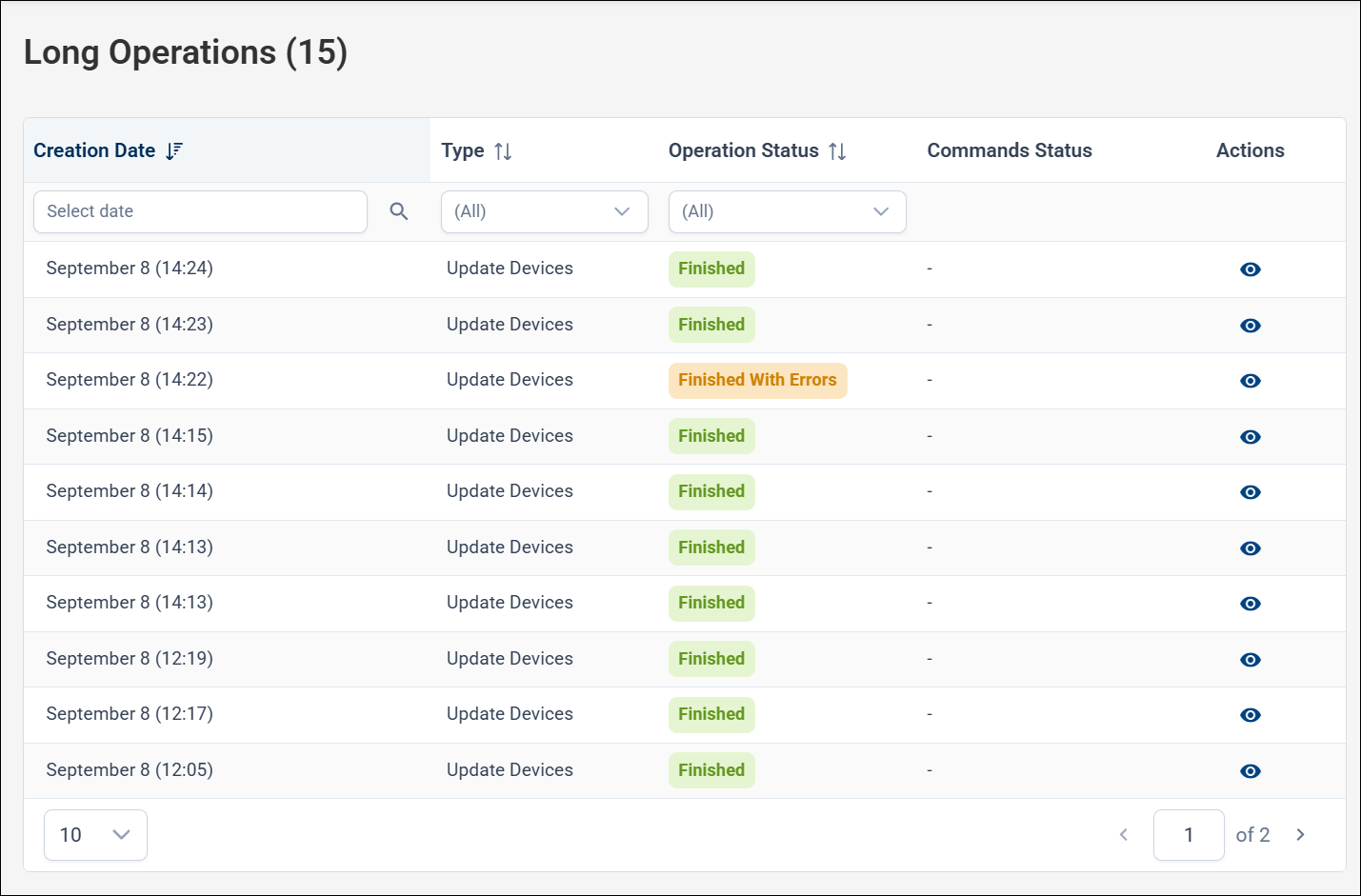
The page lists operations with their:
- Creation Date
- Type — for example, Create Reboot Commands.
- Operation Status — for example, Finished.
- Commands Status — a progress bar showing how many of the underlying commands have completed.
You can filter by date, Type, and Operation Status. When the page is opened from a toast or an audit log, it is filtered to a single operation (Showing filtered result for ID …); click Show All to list every operation.
Operation Detail
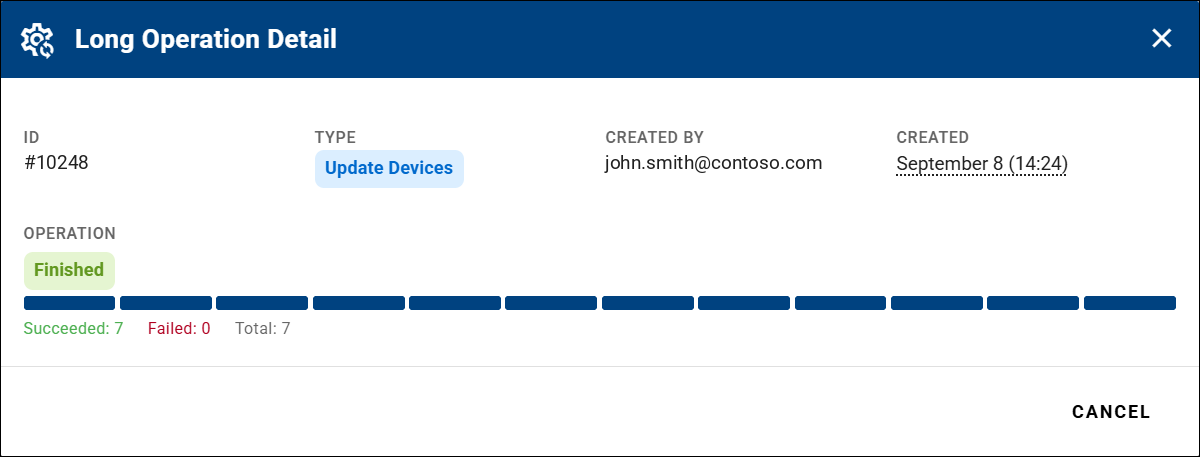
Click the eye icon in the Actions column to open the Long Operation Detail dialog. It shows:
- The operation ID, Type, Created by, and Created date.
- Operation status with a progress bar (Succeeded, Failed, Total).
- Commands status with a progress bar (Succeeded, Failed, Total).
- A table of the affected devices, each with its command Type, State, and Finished Date.
The progress bars update automatically as the operation runs. If a device command fails, it is counted under Failed and the reason is shown, so you can see why it did not succeed.